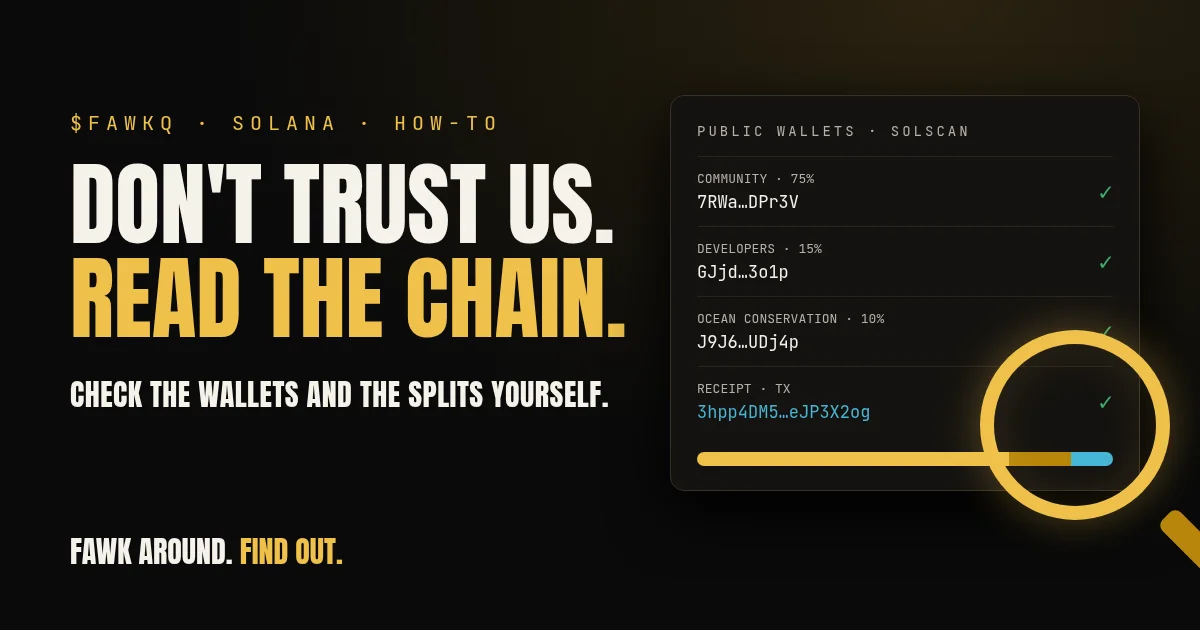
Our homepage says "Don't trust us. Read the chain." This post shows you how to do that. You don't need to be a developer or connect a wallet, and nothing here asks you to sign anything. You need a browser and about ten minutes.
We use FAWK Q as the example because we publish every public wallet on our dashboard. The same steps work for any Solana token that publishes its wallet addresses.
This is a how-to for reading public records. It is not financial advice, and checking a project's wallets says nothing about whether you should buy anything.
What "on-chain" means here
Solana keeps a public record of every account and every transaction. Anyone can read it. A block explorer such as Solscan is a website that shows that record in a readable form: balances, transfers, and the time each one happened.
When a project claims "10% goes to a charity wallet," the claim lives on a web page. The transfers live on the chain. Checking means comparing the two.
Step 1: Get the addresses from the project
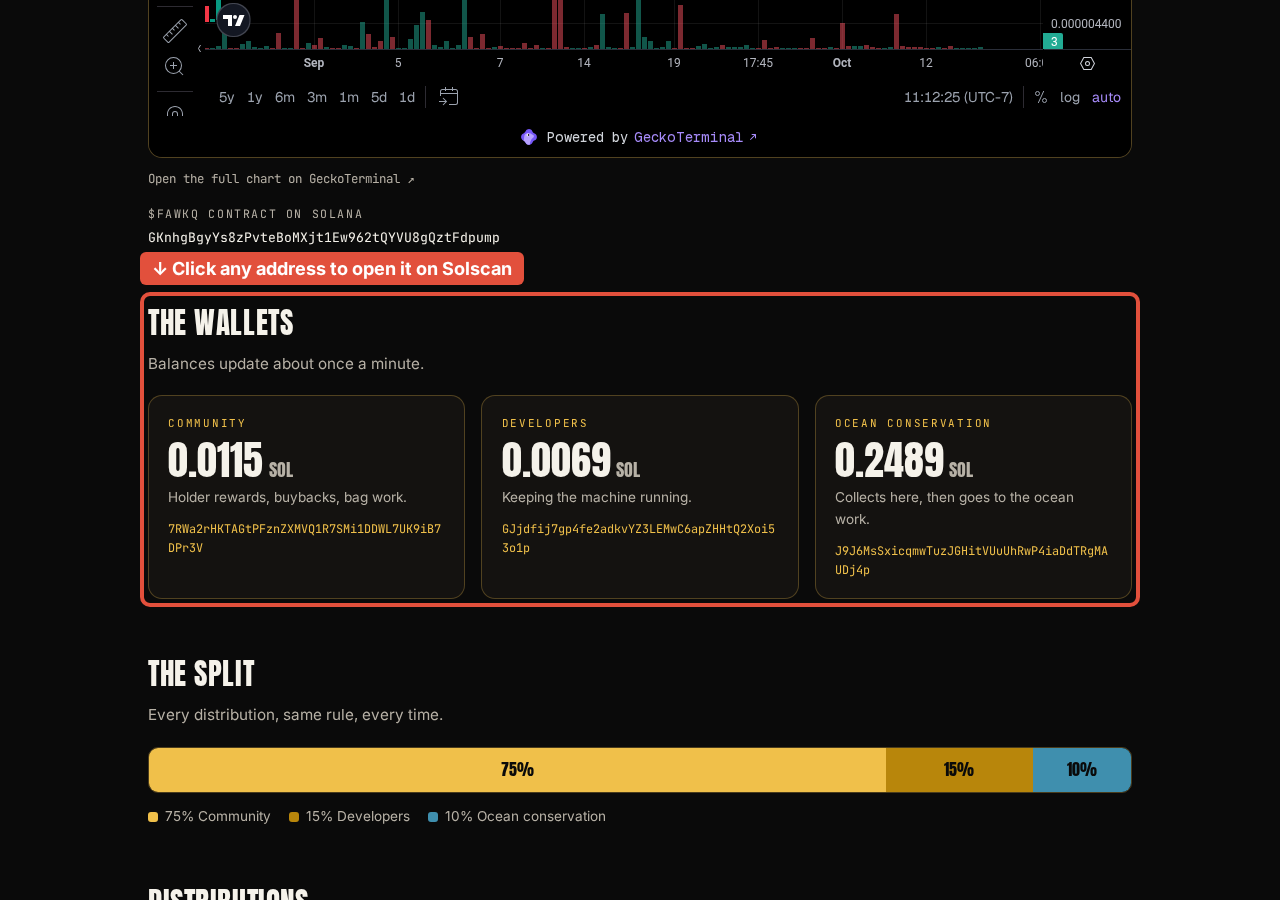
Start with the addresses the project publishes. On the FAWK Q dashboard you'll find the token's contract address (the mint) and three public wallets: Community, Developers and Ocean conservation, each with a short note on what it's for. The homepage shows the contract address and the community wallet too, with copy buttons.
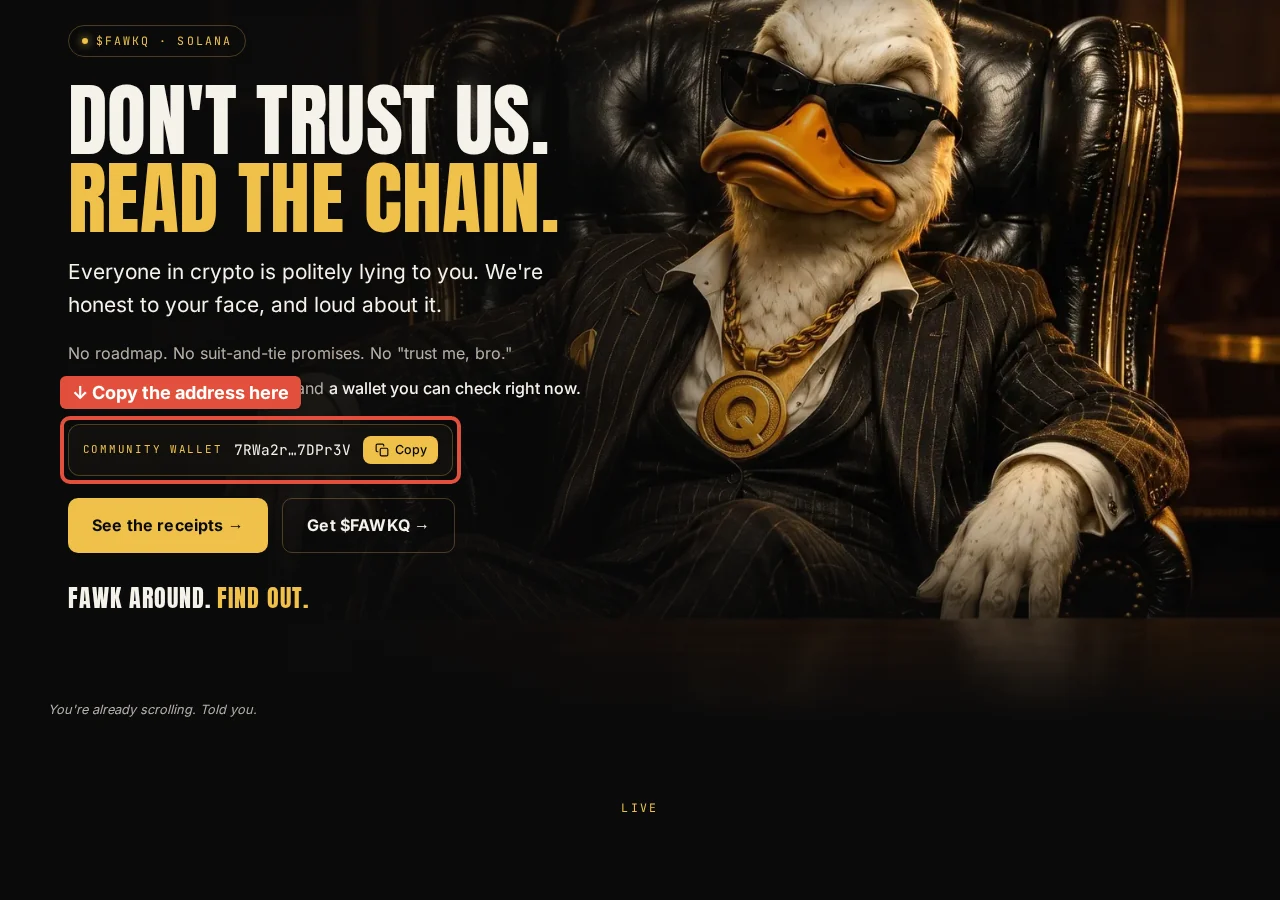
Use a copy button where there is one, or copy the address from the Solscan page. Solana addresses are long, and scam sites often use look-alike addresses that match the first and last few characters. Check more than the ends.
Also check that the contract address on the site matches the one the project posts on its official X and Telegram accounts. If they differ, stop there.
Step 2: Open the address on Solscan
On our dashboard each wallet address is a link, so one click opens its full history on Solscan. For other projects, go to solscan.io and paste the address into the search bar.
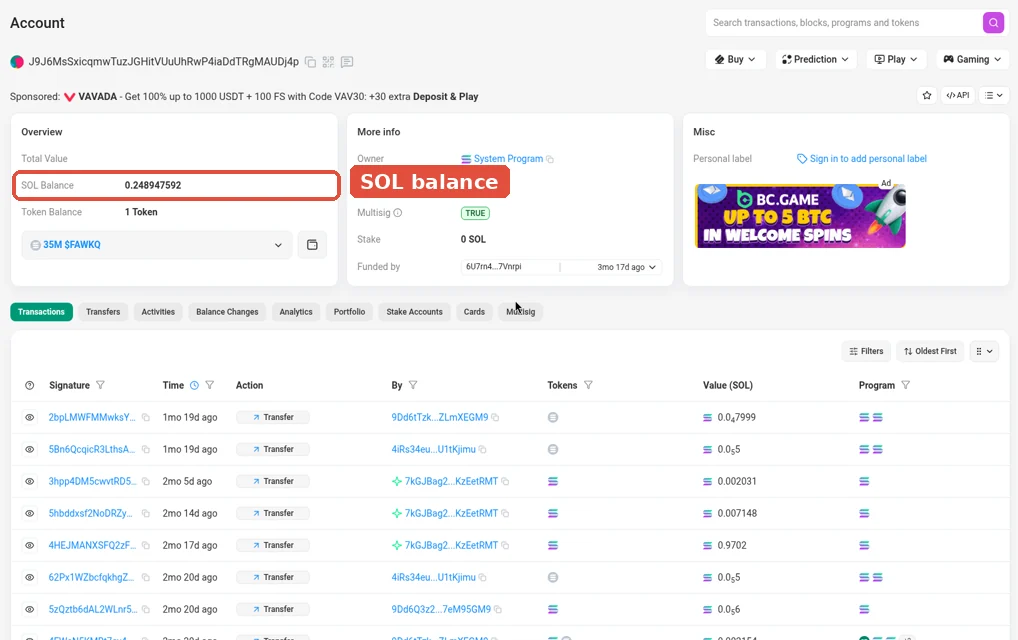
For a wallet, you'll see:
- the SOL balance and any token balances
- a list of transactions, newest first
- for each transaction, a signature (the transaction hash), the time, and the accounts involved
For the token's mint address, Solscan shows the token's details instead, such as total supply and the list of top holders.
Step 3: Check the balances against what the site says
Our dashboard reads balances straight from Solana and refreshes about once a minute. Pick one wallet and compare the dashboard number with Solscan. They should match, give or take a minute of timing.
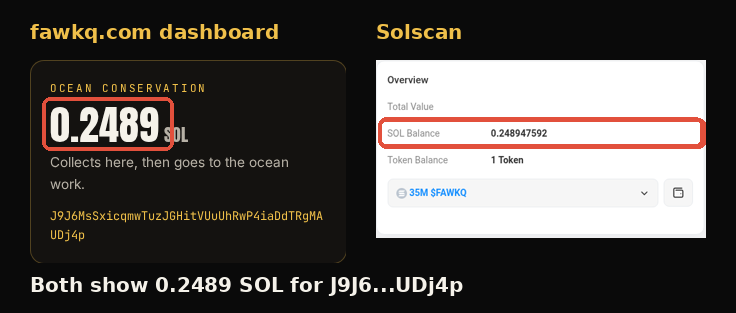
If a site shows numbers that never change, or that don't match the explorer, those numbers were typed in by someone.
Step 4: Follow the split
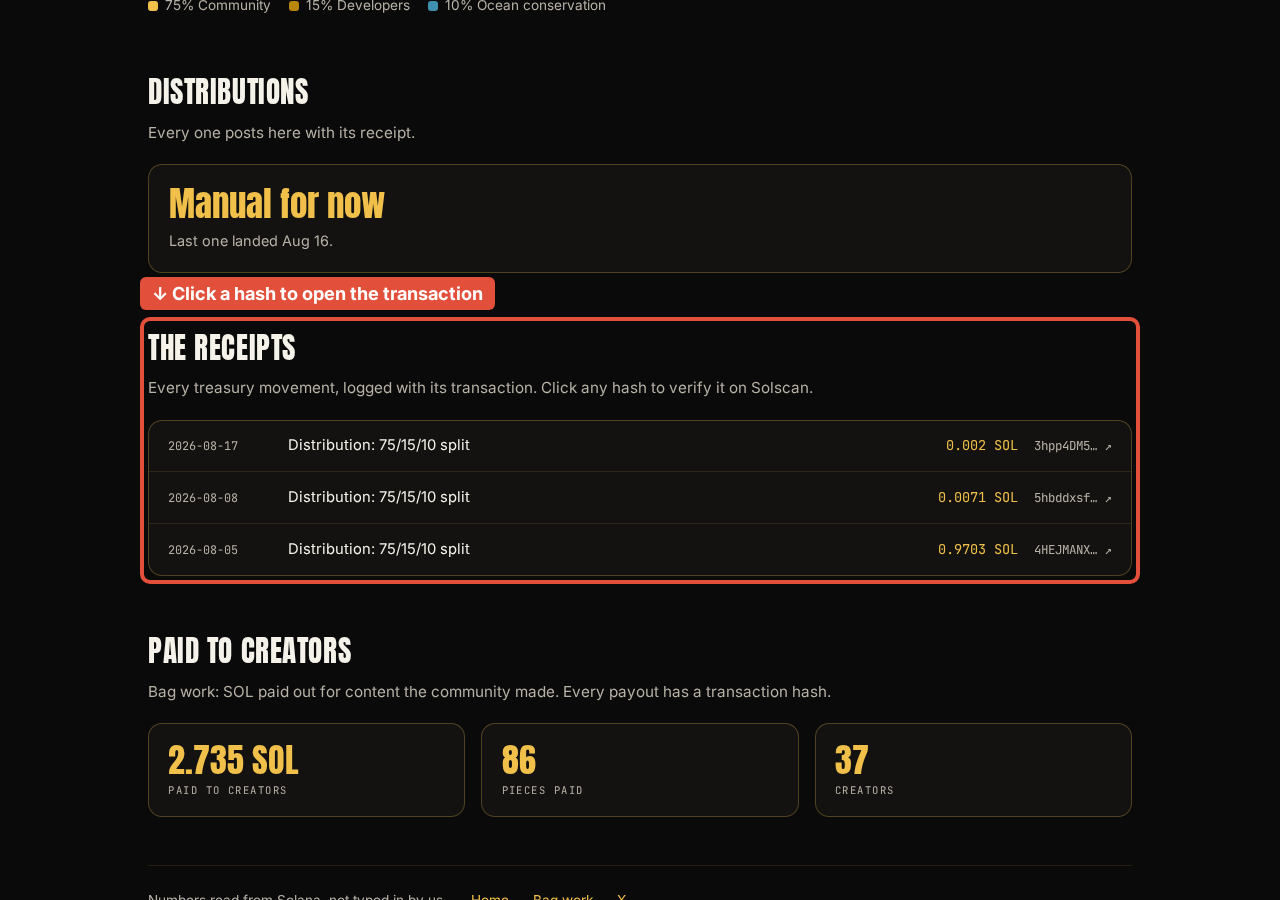
FAWK Q splits creator rewards three ways: 75% to the community, 15% to developers, and 10% to ocean conservation, with the conservation share going to its own public wallet. Each distribution is logged in the dashboard's receipts section with its transaction and the amount sent to each of the three wallets.
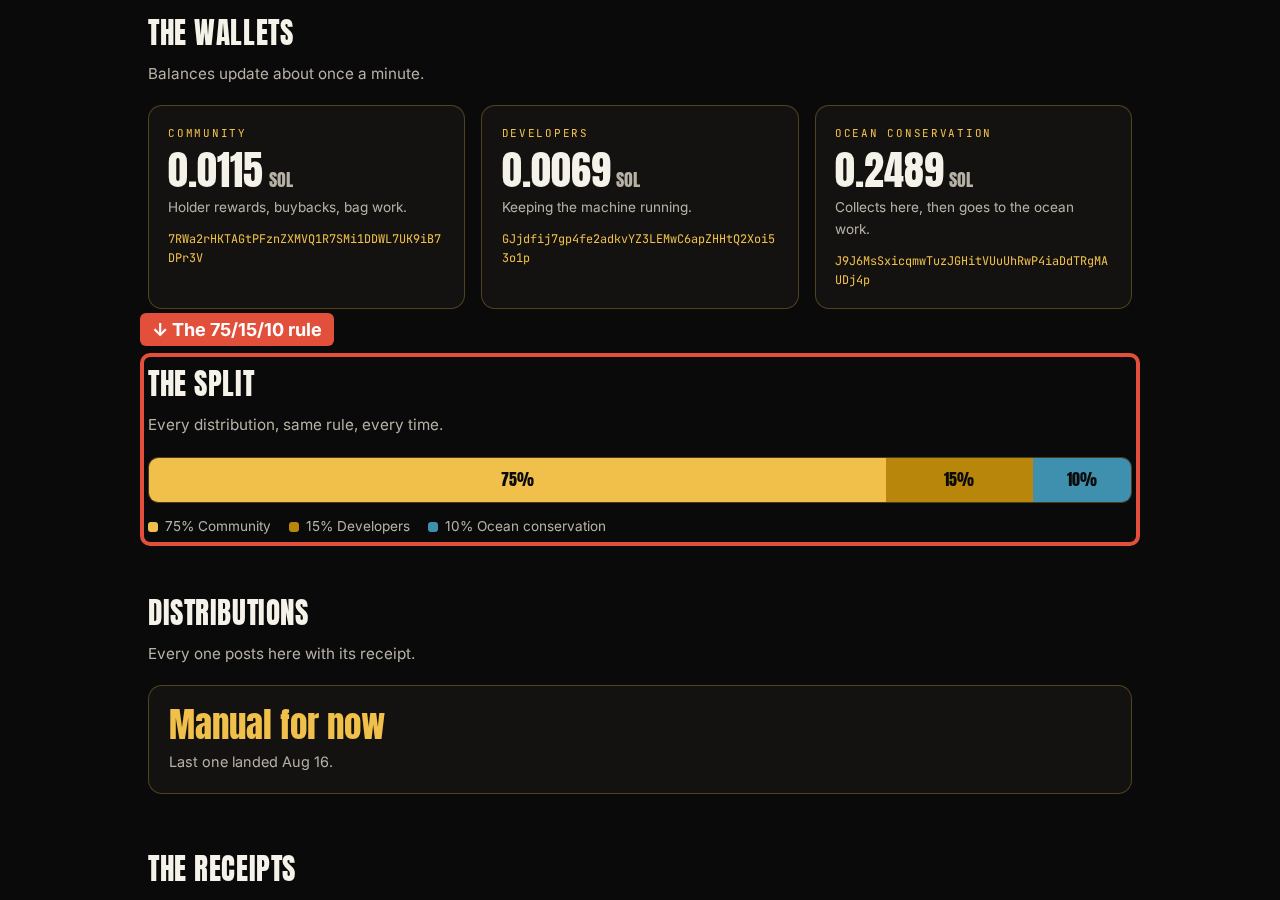
To check one:
- In the receipts section, find a "Distribution: 75/15/10 split" entry and click its transaction hash.
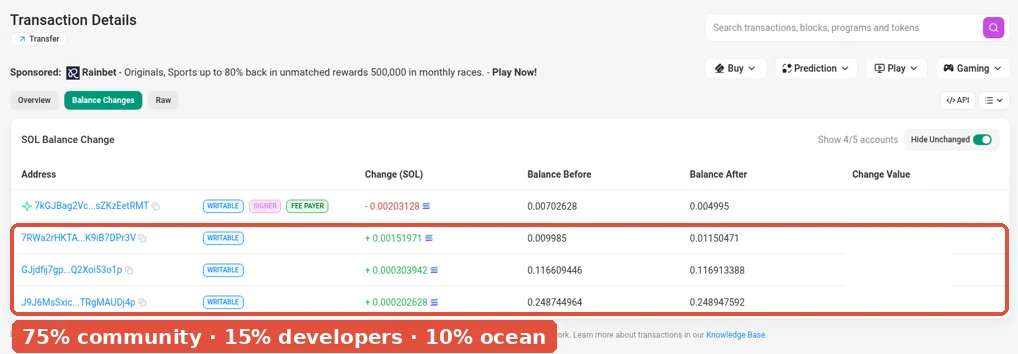
- On Solscan, look at the transfers inside that transaction. You should see the amounts leaving the source wallet and arriving at the destination wallets.
- Do the maths. The amounts going to each wallet should line up with 75, 15 and 10 percent of the total.
- Click through to the destination wallets and confirm they are the ones the dashboard labels.
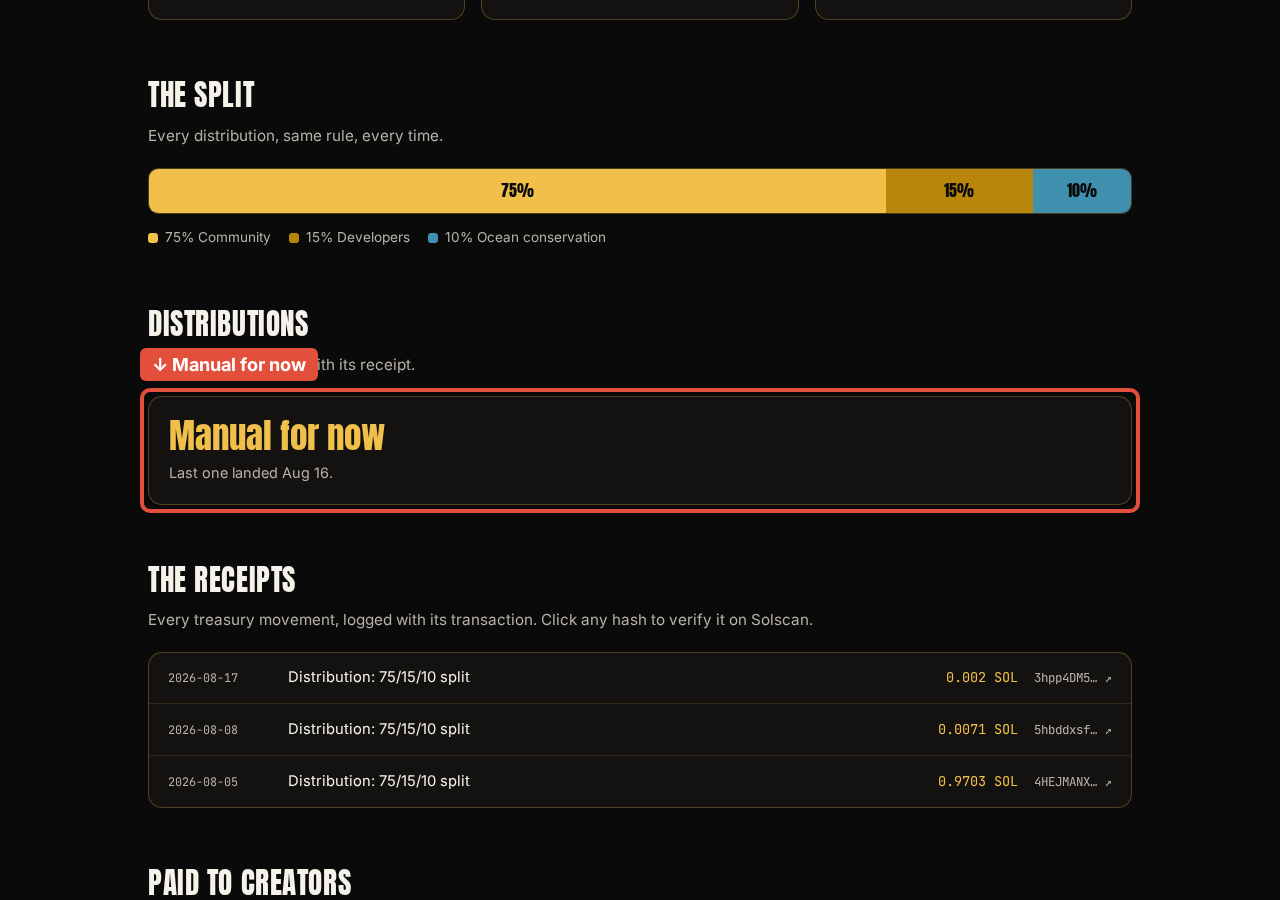
The dashboard says distributions are manual for now and get posted when they happen, so don't expect a fixed schedule. A distribution receipt covers the split itself. The community wallet then spends its share on what the homepage says it's for: holder rewards, buybacks and bag work. So expect more outgoing transfers from that wallet than there are receipts on the dashboard.
Step 5: Check the receipts and payouts
The receipts section of the dashboard logs every treasury movement with its transaction. Pick a few at random, open each hash, and confirm the amount, the date and the wallets involved.
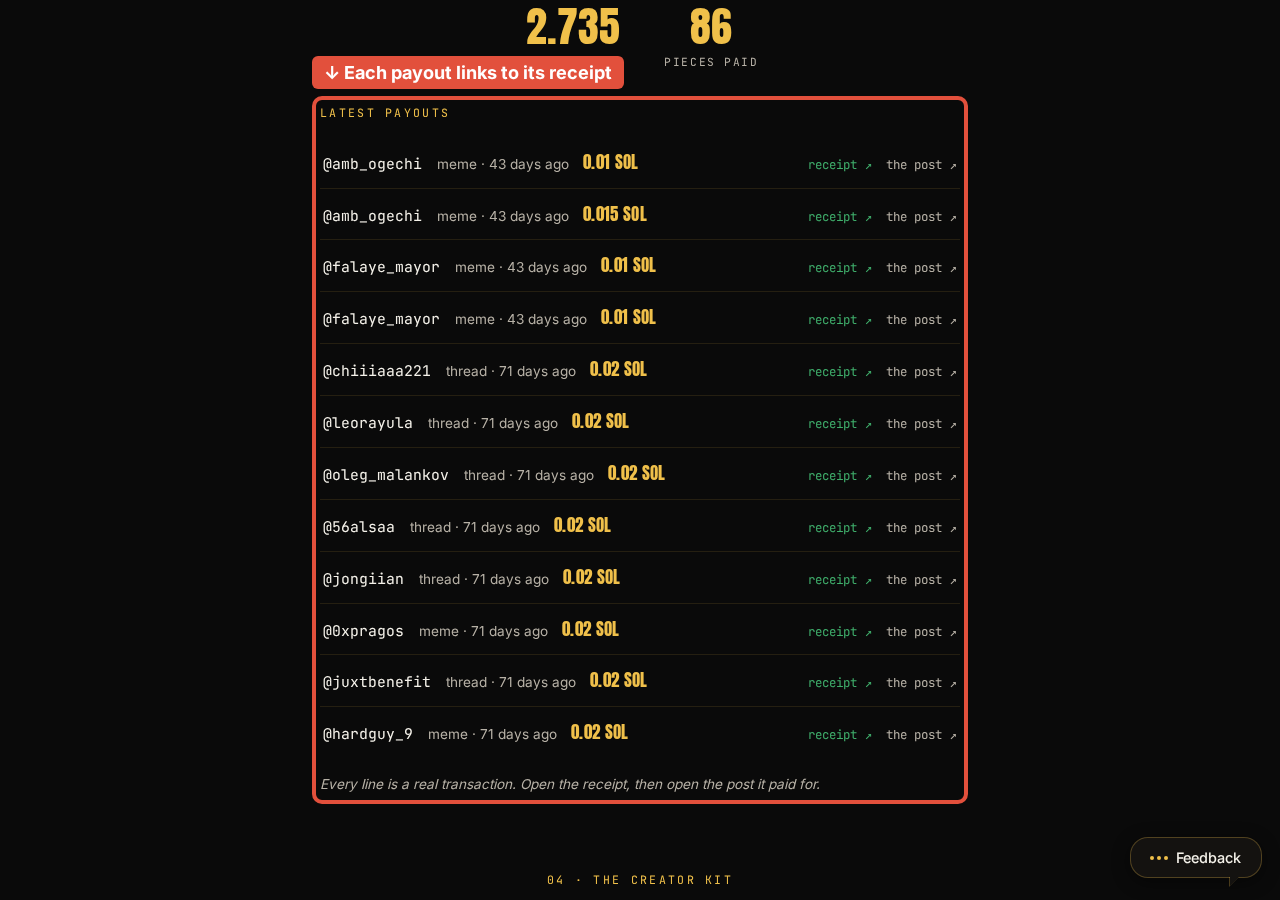
Do the same for creator payouts. Bag work pays community members in SOL for content they make. The dashboard shows the running totals, and the Latest payouts list on the bag work page links each payout to Solscan. Open one and confirm the SOL went to the creator's wallet in the amount listed.
Step 6: Look at what the wallets do between receipts
Receipts only cover what a project chooses to post. The wallet history covers everything. Scroll through a wallet's full transaction list on Solscan and ask:
- Does every outgoing transfer match a receipt, or something the project says that wallet pays for?
- Are there large transfers to wallets the project never mentions?
- Does the token's holder list show a few wallets holding most of the supply? If so, can the project explain who they are?
None of these proves anything bad on its own. A transfer you can't explain is a good reason to ask in the project's public channels and see whether you get a straight answer.
Red flags worth knowing
- The project won't publish wallet addresses, or publishes screenshots instead of links.
- The numbers on the site never change, or don't match the explorer.
- Wallets that are supposed to hold community funds send large amounts to unlabelled wallets, and the project can't explain where they went.
- The contract address differs between the website and the official social accounts.
- Anyone asks you to connect your wallet or sign a transaction to "verify." Reading the chain never needs your wallet.
Why we built the dashboard this way
Crypto has a long history of teams asking people to trust them and then disappearing. We'd rather you didn't have to trust us at all. The wallet balances on the dashboard are read from Solana, and the wallet addresses and receipts link out to an explorer we don't control, so you can check our numbers against a record we can't edit.
If you want to see the technical side of what we're building, Project Q explains the infrastructure behind the FAWK Q signal.
Try it now
Open the dashboard, pick one wallet, and check it on Solscan. Then pick one receipt and follow it all the way through. If anything doesn't add up, tell us in our Telegram group, where everyone else can see the question and the answer too.
Don't trust us. Read the chain.